
If you’re at the point where important processes are living in your brain, random Google Docs, emails, and Loom videos, it may be time to organize your SOPs in ClickUp and create one source of truth for your business.
One of the #1 things I hear from new clients is: “I know. It’s a mess.”
First, 9 times out of 10, it’s not. I promise.
You’re not disorganized. Your business grew.
You built something that works because of your expertise, your relationships, your work ethic, and probably a LOT of information you’re carrying around in your own brain.
Then you added more clients. More moving parts. Maybe a contractor or two.
But the systems that worked when it was just you didn’t necessarily grow with you.
Suddenly, you’re the person everyone comes to when they need to know where something is, how something works, or what happens next.
That’s when we need to get some of that information OUT of your head.
Your Business Needs One Source of Truth
My new favorite saying when I’m helping clients with ClickUp is:
Your brain, your business.
I can give you recommendations and help you build systems, but only you know exactly how your business needs to operate.
What I can tell you is what doesn’t work: letting everything live in your brain.
If tasks, subtasks, and checklists tell your team what needs to happen, your SOPs and documentation tell them how to make it happen.
That documentation becomes your business’s knowledge base.
It’s where you keep things like:
- Processes and SOPs
- Onboarding guides
- Brand guidelines
- Meeting notes and agendas
- The “how we do it” information your team regularly needs
For my ClickUp clients, I like to keep this information in ClickUp Docs because it lives right alongside the work.
How to Organize SOPs in ClickUp Docs
Could you keep all of your SOPs in Google Drive? Sure.
But one of the reasons I love keeping them inside ClickUp is that your team doesn’t have to hop between five different tools to figure out how to do their job.
A task can link directly to the SOP that explains exactly how to complete it.
You can also turn a line inside a ClickUp Doc into a task with one click or embed a ClickUp Clip directly into the Doc if a video makes more sense.
Everything stays connected to the work itself.
That means fewer “Where is that SOP again?” messages and less information that only exists because someone happens to remember it.
Your SOPs Should Be Easy to Find
Creating documentation is only helpful if your team can actually find it.
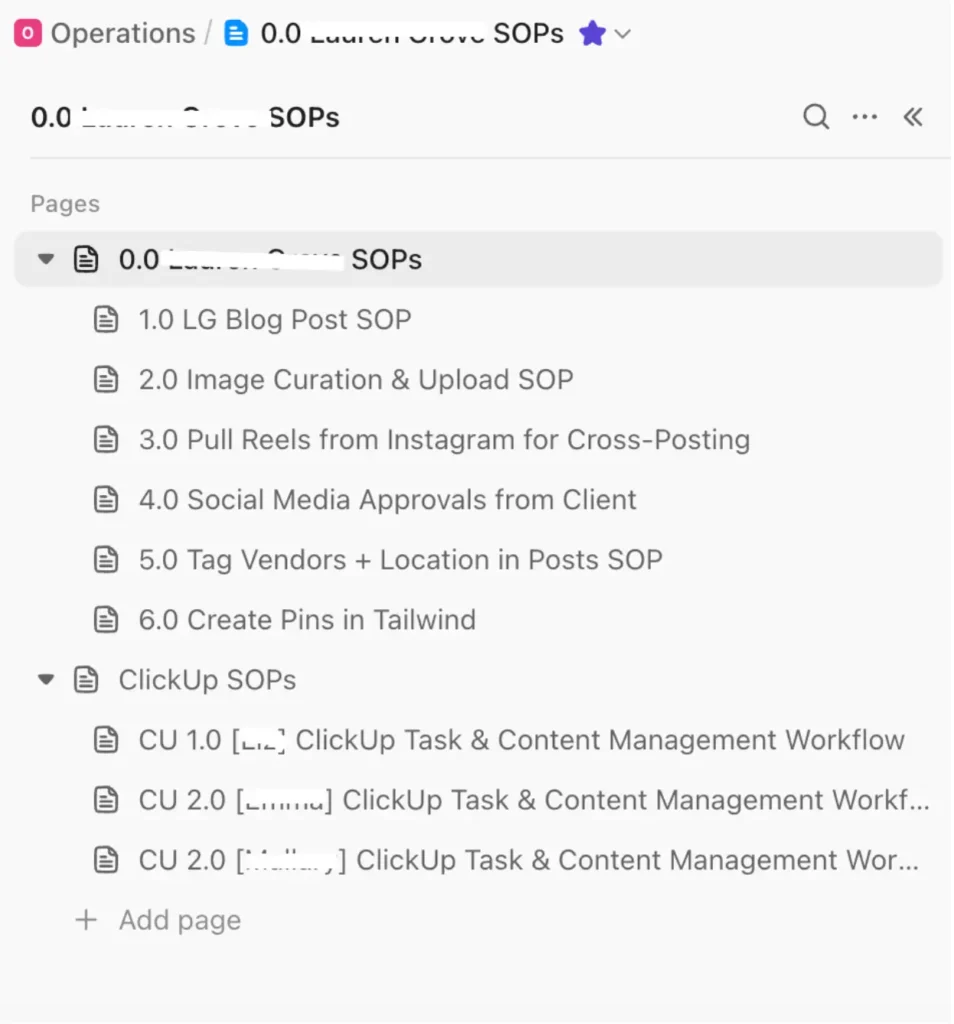
I like using clear numbering and naming conventions inside ClickUp Docs so everyone knows exactly where to look.
If I tell a contractor to review “4.0 Social Media Approvals from Client SOP,” there shouldn’t be any question about which document I mean.
This also makes it easier to organize a growing SOP library without creating another giant mess you have to clean up six months from now.
Because yes, even your SOPs need a system.
Start by giving your SOP library some structure. I like using a main SOP Doc with individual pages for each process, then numbering them so they stay in a logical order.
For example, you might have 1.0 Blog Post SOP, 2.0 Image Curation & Upload SOP, 3.0 Social Media Approvals, and so on. You can also create separate sections for company-wide processes or ClickUp-specific instructions.
The exact naming convention matters less than consistency. Your team should be able to open your documentation and know where to look without asking you first.
Version History Is an HR Nerd’s Dream
This is one of those ClickUp features that makes my HR brain very happy.
Every time someone edits a ClickUp Doc, ClickUp saves a version.
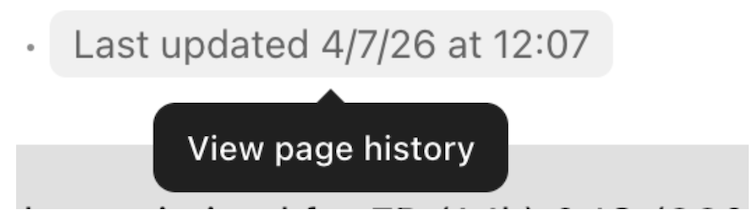
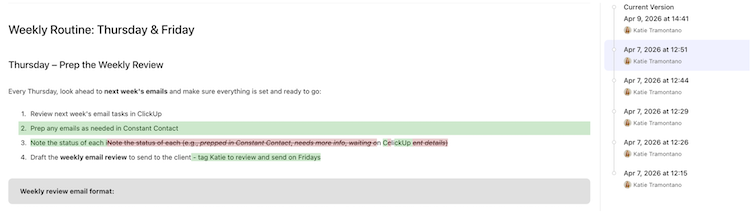
From there, you can see each saved version, who made the changes, and when they were made. Select a previous version and ClickUp will show you exactly what changed.
You can see what changed, who changed it, and when it happened. If you need an older version back, you can restore it.
Why does that matter?
Accountability. If a process changes, you can see exactly when it changed and who made the update.
CYA. If someone accidentally deletes part of an SOP, you can restore it. It can also be helpful for client-facing processes when you need to reference what was previously approved.
Evolution tracking. Your processes should change as your business grows. Version history lets you see how an SOP has evolved instead of wondering why your team is doing something differently than they did six months ago.
Fun fact: I used to audit hundreds of school bus driver qualification files for compliance. I love a good audit trail. I KNOW. Try not to be jealous.
A Checklist and an SOP Are Not the Same Thing
This is one distinction I see businesses miss all the time.
- A checklist is a reminder for someone who already knows how to complete the task.
- An SOP should teach someone who has never done the task before.
Different jobs.
Your task might tell your team member what needs to happen. The SOP explains how to do it.
When you connect the two, you start building a business that can function without you having to personally explain every step.
How I Connect SOPs to the Actual Work
Creating an SOP library is step one. Making sure your team actually uses it is step two.
This is why I don’t want SOPs sitting in a folder somewhere collecting dust. In ClickUp, I connect documentation directly to the work using an SOP Link custom field.
If your team has a recurring task for publishing a blog post, that task should link directly to the Blog Post SOP. If there’s a process for client approvals, that SOP should be right there in the task where your team needs it.
A task tells your team what to do. A Doc tells them how to do it so you don’t have to.
And if you already have a giant Loom library, you do not need to start over. Embed the Loom inside the appropriate ClickUp Doc and use the transcript to help create the written SOP. Now your team has the video and written instructions in one place.
One Action Item You Can Implement Today
Tiiiiime for a document audit.
Take a look at where your business information currently lives.
Is something sitting in a random Google Doc, email, or Notes app that belongs in your main knowledge base?
Do you have multiple SOPs covering the same process with slightly different information?
Are your SOPs linked directly to the tasks where your team actually needs them?
When was the last time you reviewed and updated them?
Do you even have SOPs yet?
Cleaning this up gives your team a source of truth they can actually rely on.
And if you don’t use ClickUp, the same rule applies. Your source of truth could live in Notion, Google Drive with a VERY clear folder structure, or another project management system.
The important part is that your SOPs have one home, your team knows where that home is, and everyone knows which version is the current one.
Because if nobody knows which version is the “real” one, you don’t have SOPs.
You have suggestions.
Need Help Getting Your ClickUp Organized?
If you know your ClickUp could be working harder for your business but you’re not sure what needs to change, my ClickUp Audit is a great place to start.
I’ll review your current workspace, identify what’s making things harder than they need to be, and give you clear recommendations for improving your workflows, task flow, automations, statuses, custom fields, and overall setup.
You’ll walk away with a prioritized list of updates and clear next steps you can actually implement.
ClickUp Audit: $1,275 | 2–3 week timeline
Ready to stop keeping your business in your head?